Hangar Console: Difference between revisions
No edit summary |
No edit summary |
||
| Line 8: | Line 8: | ||
=Launching/Docking A Small Ship= | =Launching/Docking A Small Ship= | ||
==Launching== | ==Launching== | ||
To launch a small ship from the hangar console, simply select the ship you want to launch by clicking it and then click the large "launch" button bot left of the UI. You | To launch a small ship from the hangar console, simply select the ship you want to launch by clicking it and then click the large "launch" button bot left of the UI. You can not launch a ship that has already been launched or a ship that is reconstructing. Ships that have been taken, by a player or AI, will have a launch icon ([[File:Chalcorium.jpg|frameless|20px|link=Chalcorium]]) displayed, while reconstructing ships have a countdown timer. After launching, your small ship gains no collision while close to your Battlecruiser and there is a 12 second wait time before you can dock. | ||
==Side Matters== | ==Side Matters== | ||
Launching your small ship from a left side hangar console will launch you on the left side of the | Launching your small ship from a left side hangar console will launch you on the left side of the Battlecruiser and similarly for right side hangars. Spawning on specific sides is important when you want your small ships to safely launch and not be under enemy fire. | ||
==Docking== | ==Docking== | ||
To Dock a small ship, move your ship close to your Battlecruiser and use the "dock" ability. Docking with your Battlecruiser instantly repairs the small ships hull and transfers all the ships stored energy to the Battlecruiser, this is the reason why a launched small ship will always have full hull and only a small amount of stored energy. | Though not done from a hangar console, a note will be made here about docking. To Dock a small ship, move your ship close to your Battlecruiser and use the "dock" ability. Docking with your Battlecruiser instantly repairs the small ships hull and transfers all the ships stored energy to the Battlecruiser, this is the reason why a launched small ship will always have full hull and only a small amount of stored energy. | ||
*Tip: [[Wraith]]s [[emp]] ability stops enemy [[small ship]]s docking for a short duration. | *Tip: [[Wraith]]s [[emp]] ability stops enemy [[small ship]]s docking for a short duration. | ||
| Line 22: | Line 22: | ||
=Loading/Unloading Items into Small Ships= | =Loading/Unloading Items into Small Ships= | ||
Loading and unloading items into/from small ships is done from the hangar console. | |||
*Items you want to load onto a small ship are carried in your marines inventory while you occupy the hangar console. You can then click the items from the hangar consoles UI to shuffle them between your marine and the ship. | |||
*There are 2 buttons in the UI that let you quickly move all between the marine and ship. | |||
Loading and unloading items from small ships is done from the hangar console. | **If you want all the items in your marines inventory to be loaded onto the ship click "Deposit all items in your inventory to the currently selected ship" button (down arrow) | ||
**If you want to move all items from the ships inventory to your marines inventory, click "withdraw all items from the ship" (up arrow). If your marine cannot hold the items you wanted to withdraw, the extra items will be placed beside the hangar console on the floor of the Battlecruiser. | |||
"Deposit all items | |||
| Line 40: | Line 37: | ||
Small ships remain in your hangar. | Small ships remain in your hangar. | ||
<br>Even if a small ship is destroyed, the ship will occupy the hangar slot while it reconstructs. | <br>Even if a small ship is destroyed, the ship will occupy the hangar slot while it reconstructs. | ||
<br>To remove a ship from the hangar you must salvage that ship while it is not reconstructing or being | <br>To remove a ship from the hangar you must salvage that ship while it is not reconstructing or being piloted. | ||
<br>Salvaging a ship removes that ship from its slot and refunds you some minerals. | <br>Salvaging a ship removes that ship from its slot and refunds you some minerals. | ||
To salvage a small ship, access a hangar console and select the ship you want to salvage and then press the salvage icon. | To salvage a small ship, access a hangar console and select the available ship you want to salvage and then press the salvage icon. | ||
| Line 184: | Line 181: | ||
==Hangar Size== | ==Hangar Size== | ||
The Battlecruiser | The Battlecruiser can fit a maximum of 12 small ships inside its hangar. | ||
If you wish to buy a new ship in a filled hangar, a hangar slot must first be cleared by salvaging a docked small ship, before the new ship can be purchased. | If you wish to buy a new ship in a filled hangar, a hangar slot must first be cleared by salvaging a docked small ship, before the new ship can be purchased. | ||
Revision as of 04:48, 2 March 2015
There are 6 Hangar Consoles, all located on the lower deck of the Battlecruiser at the hangar. The Hangar Console is like any other console to use, however the UI is quite different (to access a console see this). Hangar Consoles allow players to launch, load/unload items, buy and salvage small ships.
- ADD PICS OF HANGAR
Launching/Docking A Small Ship
Launching
To launch a small ship from the hangar console, simply select the ship you want to launch by clicking it and then click the large "launch" button bot left of the UI. You can not launch a ship that has already been launched or a ship that is reconstructing. Ships that have been taken, by a player or AI, will have a launch icon ( ) displayed, while reconstructing ships have a countdown timer. After launching, your small ship gains no collision while close to your Battlecruiser and there is a 12 second wait time before you can dock.
Side Matters
Launching your small ship from a left side hangar console will launch you on the left side of the Battlecruiser and similarly for right side hangars. Spawning on specific sides is important when you want your small ships to safely launch and not be under enemy fire.
Docking
Though not done from a hangar console, a note will be made here about docking. To Dock a small ship, move your ship close to your Battlecruiser and use the "dock" ability. Docking with your Battlecruiser instantly repairs the small ships hull and transfers all the ships stored energy to the Battlecruiser, this is the reason why a launched small ship will always have full hull and only a small amount of stored energy.
- Tip: Wraiths emp ability stops enemy small ships docking for a short duration.
- PICS OF LAUNCHED SHIP & FREE SHIP IN HANGAR UI
- PIC OF CD MSG FOR LAUNCHED SHIP TRYING TO DOCK
Loading/Unloading Items into Small Ships
Loading and unloading items into/from small ships is done from the hangar console.
- Items you want to load onto a small ship are carried in your marines inventory while you occupy the hangar console. You can then click the items from the hangar consoles UI to shuffle them between your marine and the ship.
- There are 2 buttons in the UI that let you quickly move all between the marine and ship.
- If you want all the items in your marines inventory to be loaded onto the ship click "Deposit all items in your inventory to the currently selected ship" button (down arrow)
- If you want to move all items from the ships inventory to your marines inventory, click "withdraw all items from the ship" (up arrow). If your marine cannot hold the items you wanted to withdraw, the extra items will be placed beside the hangar console on the floor of the Battlecruiser.
Buying and Salvaging Small Ships
Buying Small Ships
To buy a small ship go onto the hangar console and select a vacant hangar ship slot (slot with no icon). The option to buy a ship will come up, select "purchase ship", after that you can select the small ship type you want to buy.
The cost of smalls ships can be reduced through upgrades.
Salvaging Small Ships
Small ships remain in your hangar.
Even if a small ship is destroyed, the ship will occupy the hangar slot while it reconstructs.
To remove a ship from the hangar you must salvage that ship while it is not reconstructing or being piloted.
Salvaging a ship removes that ship from its slot and refunds you some minerals.
To salvage a small ship, access a hangar console and select the available ship you want to salvage and then press the salvage icon.
|
|





Hangar Size
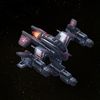
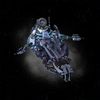
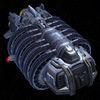
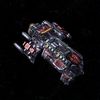
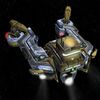
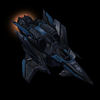
The Battlecruiser can fit a maximum of 12 small ships inside its hangar. If you wish to buy a new ship in a filled hangar, a hangar slot must first be cleared by salvaging a docked small ship, before the new ship can be purchased.
Reconstruction Time
When a small ship is destroyed in combat, the hangar will automatically recreate the ship.
The rebuild process is completely free, however it does take time.
During the reconstructing time you will be unable to salvage or launch the small ship.
Upgrading can reduce reconstruct times;
- Economy T2: Reduces miner reconstruction time by 90seconds.
- Offensive T2: Reconstruction time of Wraith, Corvette and Destroyer reduced by 20%.
Reconstruction times (in seconds):
- Miner: 180
- Wraith: 160
- Corvette: 260
- Destroyer: 600
- Minelayer: 240
- Chomper: 360
- Infiltrator: 480
- Subjugator: 480